
Inconsistent report formats across your clinical team create gaps in medical records and increase the risk of incomplete documentation. A standardized veterinary report template fixes that problem by giving every clinician the same structure for documenting patient encounters, surgical procedures, and diagnostic findings.
Download the free template above to standardize clinical documentation across your practice. It includes core sections that work for most report types: patient signalment, clinical history, examination findings, assessment and plan, and client communication. Adapt it for specialty reports by adding or emphasizing specific fields.
This guide covers what belongs in each section, how to modify the template for different case types, and how to fix common documentation problems.
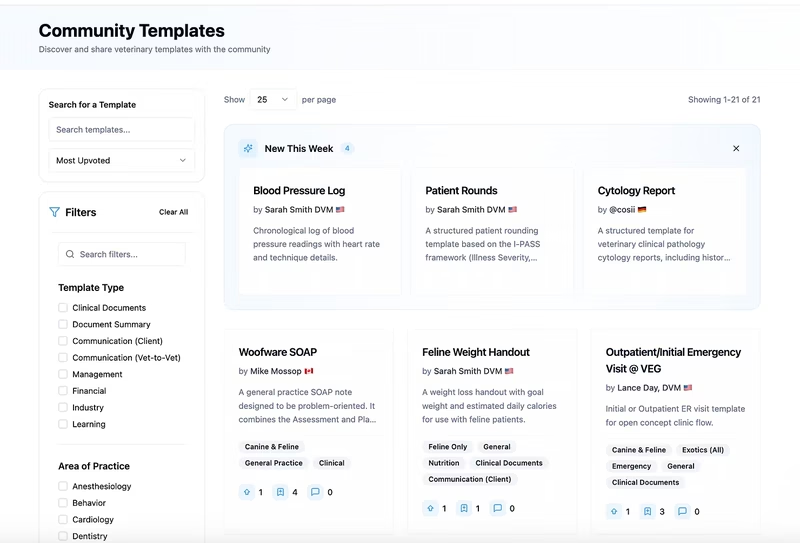
✨ See how CoVet handles your casesTry the AI scribe built by practicing veterinarians, free for two weeks. CoVet captures your consultations and turns them into structured clinical notes — across 70+ specialty templates covering GP, exotics, equine, dentistry, and referral summaries. Works offline. Supports multi-DVM team workflows. HIPAA, GDPR, PIPEDA, and SOC 2 Type II compliant. No credit card required. |
Looking for more specialized templates?
Browse our complete library of veterinary documentation templates:
Treatment Template
Each template is designed to standardize documentation across your practice while giving clinicians the flexibility they need for different case types.
What a veterinary report template is and when you need one
A veterinary report template is a structured clinical document that summarizes findings, decisions, or outcomes for a patient encounter. The term "veterinary report" works as an umbrella that covers multiple document types: SOAP notes, surgical reports, pathology and histopathology reports, radiology reports, referral summaries, and discharge records.
If you're searching for a veterinary report template, you probably need a general-purpose clinical report format rather than a single specialty document. The downloadable template above gives you a flexible framework that covers the core sections most report types share. You can adapt it to fit surgical procedures, diagnostic imaging, pathology cases, or routine clinical exams.
Standardization matters because manual, freeform reports introduce inconsistency across clinicians. Incomplete fields become common. Documentation becomes difficult to audit or hand off between team members. A structured template reduces variability without restricting clinical judgment. Each clinician still makes their own diagnostic and treatment decisions, but the format stays consistent.
Common veterinary report types and where they fit:
Report Type | Primary Purpose | Related Template |
Clinical exam report | Document routine wellness visits, sick appointments, and general consultations | |
Surgical/procedure report | Record anesthetic protocol, intraoperative findings, complications, and recovery | Treatment Template |
Pathology/histopathology report | Summarize specimen findings, microscopic analysis, and diagnostic interpretation | General veterinary report template (this page) |
Radiology/imaging report | Document imaging technique, positioning, findings by region, and comparison to prior studies | General veterinary report template (this page) |
Referral summary | Communicate case details, diagnostic findings, and recommendations to referring or specialist DVMs | General veterinary report template (this page) |
Progress/hospitalization report | Track patient status, treatments administered, and response during multi-day stays |
What to include in a veterinary report template
Every veterinary report shares a core set of sections, regardless of specialty or case type. These sections create the foundation for complete, auditable medical records.
Patient signalment and case identification
This section should be identical across all report types for consistency. Include species, breed, age, sex, weight, microchip number, patient ID or case ID, client name, and client contact information. If the case involves a referral, add the referring DVM's name and practice details.
Standardizing this section means anyone picking up the record can immediately identify the patient without hunting through paragraphs of narrative text. A Patient History Template builds on this foundation by organizing historical medical information alongside current case details.
Clinical history and presenting complaint
Document the reason for the encounter, relevant medical history, current medications, vaccination status, and known allergies. For pathology reports specifically, add sample collection date, collection method, and collection site.
Different report types require different historical details. A surgical report needs anesthetic protocol and pre-operative status. A histopathology report needs specimen description and fixation method. A radiology report needs positioning and imaging technique. The table below shows which fields to emphasize based on report type:
Report Type | Additional Fields to Include |
Surgical report | Anesthetic protocol, pre-op physical exam status, NPO duration, pre-medication timeline |
Histopathology report | Specimen description, fixation method, sample collection site, sample size and margins |
Radiology report | Positioning, imaging technique (e.g., lateral, VD, DV), contrast use, sedation status |
Referral summary | Referring DVM information, reason for referral, services requested, prior diagnostic workup |
Examination findings and diagnostic results
Physical exam findings, lab results, imaging interpretation, or gross and microscopic pathology findings belong in this section. The content depends on report type, but the principle stays the same: structured fields reduce the chance of omitted findings.
Freeform narrative invites inconsistency. One clinician might document heart rate, respiratory rate, and temperature. Another might skip vitals entirely. Structured fields make it clear what needs to be recorded. A Physical Exam Template organizes these findings by body system so nothing gets missed during busy appointment blocks.
Assessment, diagnosis, and plan
This section transforms the report from a data log into a clinical decision record. Include your clinical impression or confirmed diagnosis, a problem list if applicable, treatment plan, medications prescribed, procedures performed or recommended, follow-up instructions, and timeline for recheck.
The assessment and plan section answers the question: what are we doing about this, and why? It's where clinical judgment becomes documentation. Vet SOAP Notes structure this section using the "Assessment" and "Plan" components of the SOAP format, which many practices already use for clinical encounters.
Client communication and discharge summary
Document what the client was told, consent obtained, home care instructions, recheck schedule, and emergency guidance. For referral reports, this section becomes a summary for the referring DVM that includes findings, recommendations, and prognosis.
Client communication belongs in the medical record because it establishes what information was shared and what the client agreed to. That documentation matters for compliance and continuity of care. A Discharge Instructions Template creates a separate client-facing document based on this section, so clients leave with clear written instructions they can reference at home.
Adapting a veterinary report template by report type
The general veterinary report template covers the core sections every clinical document needs. Specialty reports require additional fields or emphasis on specific sections. The table below shows how to modify the template for the most common report types:
Report Type | Sections to Add or Emphasize | Sections to Simplify |
Surgical/procedure report | Anesthetic protocol (pre-meds, induction, maintenance, monitoring), intraoperative findings, complications encountered, hemostasis method, closure technique, recovery observations, post-op pain management | Clinical history can be brief if pre-op exam was documented separately |
Histopathology report | Specimen description (tissue type, anatomic location, size), gross findings (color, consistency, margins), microscopic findings (cell types, architecture, invasion), pathologist interpretation, margin status (clean, narrow, involved) | Physical exam section often not applicable; focus on sample-specific details |
Radiology/imaging report | Imaging technique and settings, patient positioning, structured findings organized by anatomic region, comparison to prior studies if available, radiologist or interpreting clinician signature | Treatment plan may be recommendations only rather than administered treatments |
Referral summary | Referring DVM contact information, reason for referral, services requested by referring practice, diagnostic workup already completed, communication log (what was discussed with owner and referring DVM), prognosis and long-term management recommendations | Can consolidate exam findings into a summary rather than full system-by-system documentation |
Building report-writing protocols around these formats reduces variability across your team. A SOP Template helps practices document which report format to use for different case types and which fields are required versus optional.
Common problems with veterinary report documentation and how to fix them
1. Inconsistent report formats across clinicians
Each DVM structures reports differently, making records difficult to review or audit. One clinician writes narrative paragraphs. Another uses bullet points. A third skips sections entirely when they seem irrelevant to the case. The result is a medical record system where finding specific information requires reading through every document in full.
Fix: Adopt a single report template and build it into onboarding. New clinicians learn the practice's documentation standard from day one. An Electronic Medical Record system can enforce template use by making structured fields the default option rather than requiring extra steps.
2. Missing or incomplete diagnostic sections
Lab results get referenced in the assessment but not included in the report. Imaging is mentioned without interpretation. Diagnostic test names appear without results or dates. The record confirms that diagnostics were run, but doesn't document what they showed or how they informed the diagnosis.
Fix: Use structured fields for each diagnostic category with a required interpretation line. If lab work was performed, the template should prompt for results and clinical interpretation. If imaging was done, the template should require findings and comparison to prior studies when applicable.
3. Reports that mix clinical documentation with client communication
The same document tries to serve as a medical record and a client-facing summary, diluting both. Medical terminology confuses clients. Simplified explanations lack the clinical detail other veterinarians need. Neither audience gets what they need from the document.
Fix: Separate the clinical report from the client discharge summary. Use the report template for the medical record. Use a Discharge Instructions Template for the client-facing version. Each document serves its specific purpose without compromise.
4. Manual data entry errors from transcribing between systems
Vitals, lab values, and medication details get copied incorrectly between the source and the report. A heart rate of 180 becomes 108. A medication dose of 0.5 mg/kg becomes 5 mg/kg. The errors are usually caught, but not always. Each transcription step introduces risk.
Fix: Reduce transcription steps by generating reports closer to the point of care. The fewer times data moves between systems or documents, the fewer opportunities for errors.
5. No version control or audit trail
Edits to reports aren't tracked, making it unclear when changes were made or by whom. A clinician updates a diagnosis after receiving lab results, but the system doesn't timestamp the edit or note who made it. Practices still on paper face this problem constantly.
Fix: Use a documentation system that timestamps entries and tracks edits. Digital systems should show who made each change and when. Practices transitioning from paper can start with a Printable Physical Exam Form to standardize structure before moving to a system with built-in audit capabilities.
Automating your veterinary report template
A downloadable template standardizes report structure, but populating every field still requires manual entry, often after the encounter, from memory or fragmented notes.
CoVet captures spoken clinical findings during or after the encounter and structures them into organized reports. You talk through the exam, procedure, or case summary, and CoVet organizes the details into the appropriate template fields. No typing. No toggling between screens to copy vitals or lab values.
The platform includes customizable templates across report types: clinical, surgical, imaging, pathology, and referral. These templates were developed by the in-house medical team to match real-world documentation needs across species and specialties. CoCo, the AI template builder, makes it straightforward to build a report format that matches your practice's documentation standards. You can adapt field labels, add practice-specific sections, or create entirely new templates for specialty procedures.
Finished records sync to your PMS via integrations or Chrome Extension. The report goes directly into the patient file without manual transfer or copy-paste steps.
Frequently asked questions about veterinary report templates
How long should veterinary practices retain completed clinical reports?
Record retention requirements vary by state and country, with most state veterinary boards in the U.S. requiring practices to retain medical records for three to seven years after the last patient visit. Some states specify longer retention periods for certain record types, such as controlled substance logs or rabies vaccination certificates. Check your state veterinary board's regulations for specific requirements, and ensure your veterinary report template includes a date stamp on every document to track when retention periods begin.
What fields are required in a veterinary report for insurance or malpractice claims?
Insurance companies and legal representatives reviewing malpractice claims look for complete documentation of clinical decision-making: patient signalment, presenting complaint, thorough physical exam findings, diagnostic test results with interpretation, differential diagnoses considered, treatment plan with dosages and routes, client communication and consent, and follow-up recommendations. The clinical report needs to show what you found, what you thought, what you did, and what you told the client. A structured veterinary report template ensures these fields appear in every medical record, not just the cases that seem high-risk at the time.
How do you set up a veterinary report template for referral cases between clinics?
A referral report template needs referring veterinarian name and practice contact information at the top, a field for reason for referral and services requested, and documentation of what diagnostic workup the referring practice already completed to avoid duplicating tests. The clinical findings section should summarize what you found and what it means for the case, while the recommendations section should address both immediate treatment and long-term management with clear guidance on what the referring practice should monitor. Communication log entries document what was discussed with the owner and what was communicated back to the referring DVM.
Can veterinary report templates be shared across a multi-location practice group?
Multi-location practice groups benefit significantly from standardized documentation, as a shared veterinary report template library ensures that medical records created at one location look identical to records created at other locations. This consistency matters when patients move between locations, when relief DVMs work across multiple sites, or when the practice group needs to audit clinical quality across all locations. The template library should include core templates that every location uses, plus specialty templates for locations that offer advanced services, stored in a central location accessible to all practice management systems.
What is the difference between a veterinary report template and a patient discharge summary?
A veterinary report template is a clinical documentation tool for the medical record that records findings, diagnostics, clinical decisions, and medical detail for other veterinarians, while a patient discharge summary is a client communication tool that explains the diagnosis, treatment, and home care instructions in language clients can understand. Both documents draw from the same clinical encounter, but they serve different purposes. A Discharge Instructions Template translates the clinical report into client-friendly language without medical jargon or unnecessary technical detail.
How do veterinary report templates handle lab results and diagnostic imaging findings?
Structured fields for lab results and diagnostic imaging prevent incomplete documentation by including spaces for test name, date performed, results, reference ranges, and clinical interpretation. For imaging, include modality (radiograph, ultrasound, CT, MRI), anatomic region, technique, findings organized by structure, and comparison to previous studies if available. Pathology reports and radiology reports require specimen description, gross findings, microscopic findings, diagnosis, and margin status to ensure these details appear in every report rather than relying on freeform narrative that might skip critical information.
About the Author
)
)
)