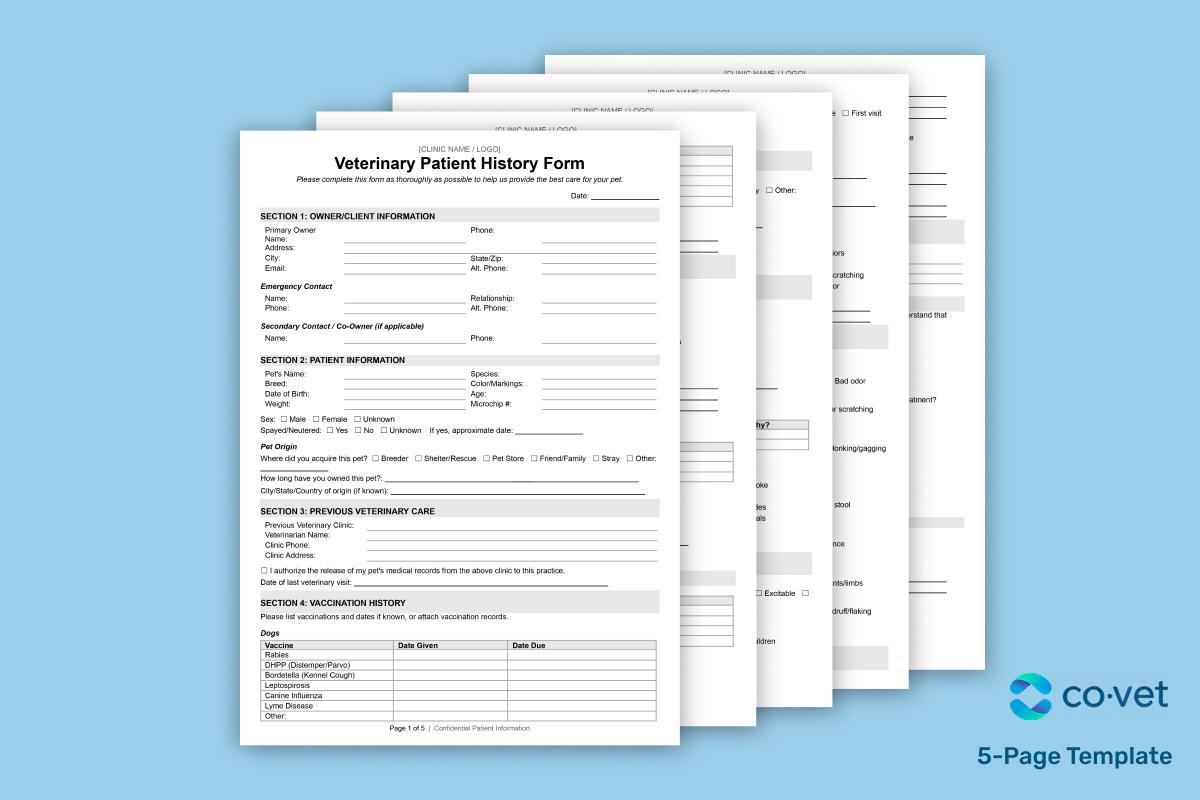
This five-page veterinary patient history form template captures everything you need before or during a visit. Here's what's included:
Owner and contact details (Sections 1, 3): Primary owner info, emergency contacts, secondary owners, and previous veterinary clinic details with a records release authorization.
Patient profile and medical background (Sections 2, 4, 5, 6): Species, breed, age, microchip number, vaccination history with space for reactions, past medical conditions, surgical history, allergies, and current medications including parasite prevention.
Lifestyle and environment (Sections 7, 8, 9): Diet and nutrition, feeding schedule, living environment, exercise habits, other pets in the household, environmental exposures, travel history, and a full behavior assessment covering temperament, handling sensitivities, and behavioral concerns.
Current visit and admin (Sections 10, 11, 12, 13): Systems review checklist, reason for today's visit with symptom timeline and severity, pet insurance information, and consent/authorization including emergency spending limits.
You can see our template here.
Automating your veterinary patient history form
A downloadable template standardizes what you collect, but someone still has to enter the data, chase down missing fields, and transfer everything into your practice management system. That's where automation can help. The same applies whether you call it an intake form or a pet medical history template, the bottleneck is data entry, not the document itself.
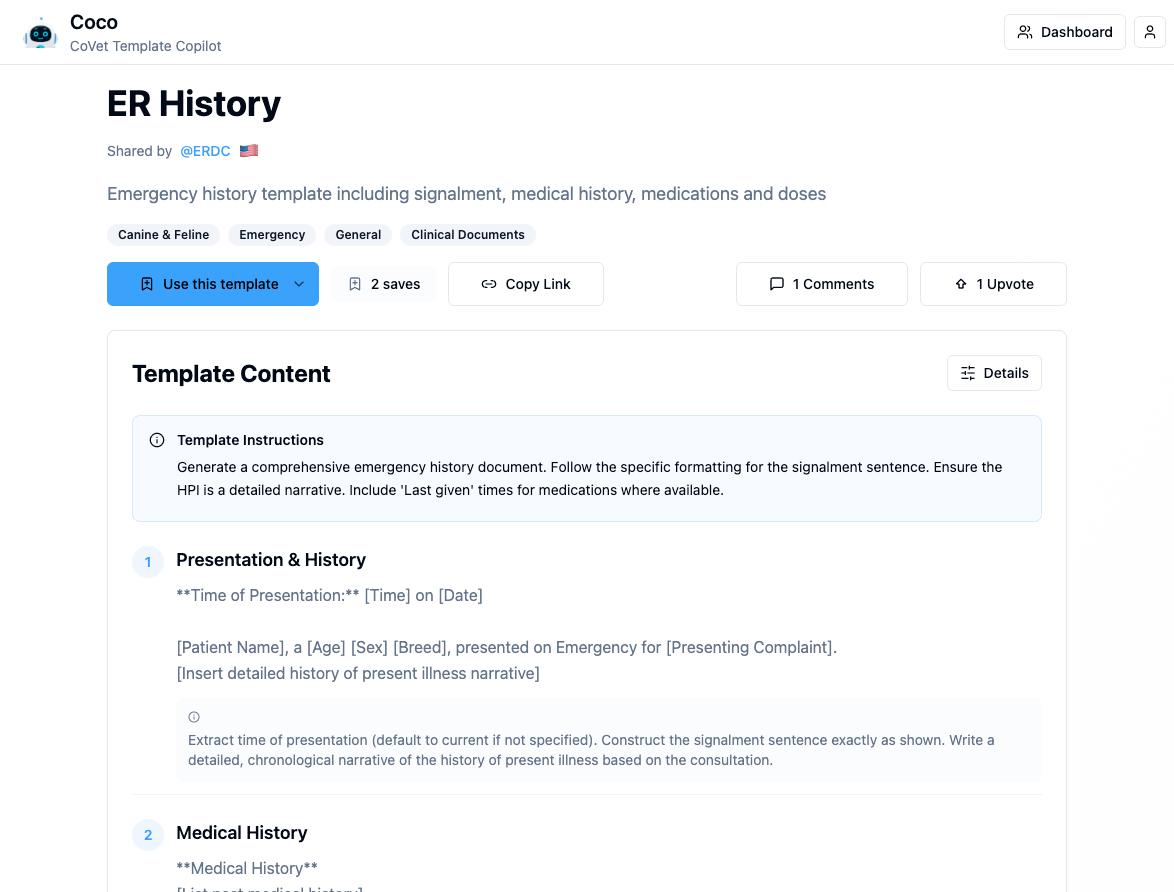
CoVet's AI copilot lets veterinary teams capture patient history through dictation rather than manual entry. Speak naturally during or after the consultation, and CoVet structures the information into your preferred format. You can also upload existing PDFs or even photos of handwritten notes and get a concise summary in seconds.
For clinics that want full control, CoVet supports custom templates. Build one from scratch using drag-and-drop, or adjust an existing template to match your intake workflow. The platform includes 85+ templates covering everything from SOAP notes to comprehensive histories, and records sync directly with your PMS.
The result: less time on admin, more consistent documentation, and patient history that's ready before the exam room door closes.
Check out our other templates
CoVet has a growing database of veterinary templates. Check out other ones that might be helpful for you:
Veterinary Dental Chart Template
Veterinary Treatment Sheet Template
Veterinary Physical Exam Template
Veterinary Controlled Drug Log Template
Veterinary Discharge Instructions Template
Frequently asked questions about veterinary patient history form template
What is included in a veterinary patient history form template for new and returning clients?
A comprehensive veterinary patient history form template typically covers four areas. Owner information captures contact details, emergency contacts, and authorization for records transfer. Patient information includes species, breed, age, weight, and microchip number.
Medical history documents vaccinations, past conditions, surgeries, allergies, and current medications. The presenting complaint or current problem section captures why the pet is being seen today, including symptom onset and severity.
For returning clients, some clinics use a shorter version that focuses on updates since the last visit rather than collecting the full history again.
Can I download a free veterinary patient history form template in pdf or word format?
Yes. The free veterinary patient history form template above is available in both formats. The veterinary patient history form template PDF works well as a printable form for clinics that still use paper intake. The veterinary patient history form template Word version is easier to customize if you want to add your logo, adjust fields, or turn it into a fillable template before printing or sending digitally.
What questions should a veterinary history taking form include for sick visits?
Sick visit forms need to capture clinical signs, symptom timeline, and progression. Key veterinary history taking questions include: When did you first notice the problem? Is it constant or intermittent? Is it getting better, worse, or staying the same?
The form should also cover treatment history (any at-home remedies or medications tried), medication history (current prescriptions and supplements), and toxin/exposure history (access to chemicals, plants, human medications, or garbage). These details help the veterinarian prioritize differentials before the exam even starts.
How do I customize a veterinary patient history form template for dogs vs. cats (and different visit types)?
Start with a base template, then customize the intake form by adding species-specific questions. For dogs, you might include questions about leash reactivity, interactions at dog parks, or heartworm prevention. For cats, focus on litter box habits, indoor/outdoor status, and multi-cat household dynamics.
Visit type matters too. A wellness visit form can be shorter and focus on dietary information, behavior concerns, and preventive care updates. An urgent care visit form should prioritize the presenting complaint, symptom severity, and recent changes. Some clinics maintain two or three versions rather than using one lengthy form for every scenario.
What are the common reasons clients leave veterinary intake forms incomplete, and how can clinics fix it?
The most common reasons for incomplete intake forms are form length, confusing medical terminology, and poor timing. If a client questionnaire arrives five minutes before the appointment or runs three pages long, expect blank fields.
Fixes that help: shorten the form to essentials, use plain-language prompts instead of clinical jargon, and send forms digitally 24 to 48 hours before the visit. Conditional logic (where follow-up questions only appear based on previous answers) keeps forms relevant without overwhelming clients. Mobile-friendly intake is also worth considering, since most clients will complete forms on their phones rather than a desktop.
A shorter, mobile-friendly patient intake form completed before the visit removes most of these gaps.
How can digital intake tools and AI automate a veterinary patient history form before appointments?
Digital intake tools send forms to clients before the visit, collect responses electronically, and sync the data with your practice management system. This saves front desk time and gives the care team a head start on the patient's history.
AI scribing takes it further. Tools like CoVet can turn pre-visit intake responses, uploaded PDFs, or even dictated notes into structured records that flow directly into your EHR. For efficient veterinary practice management, this means less manual data entry and more complete documentation. The referral source field, vaccination records, and medical history can all populate automatically rather than requiring someone to re-enter them.
If your clinic is still building out its documentation workflow, the veterinary SOAP template guide covers how to standardize clinical notes alongside your intake process.
About the Author
)
)
)